ClearPass – mail validation

If you would like to restrict or validate mail addresses during guest registration, you can use simply restrict domains. An example of a mail validation for the provided user and sponsor mail address is.
user mail validation (the mail address should not be a company mail address)
array (
‘deny’ =>
array (
0 => ‘booches.nl’,
),
‘allow’ =>
array (
),
)
sponsor mail validation (only company mail domain is allowed)
array (
‘allow’ =>
array (
0 => ‘booches.nl’,
),
‘deny’ =>
array (
0 => ‘*’,
),
)
These settings can be changed under “Validator Arguments” from the Form fields.
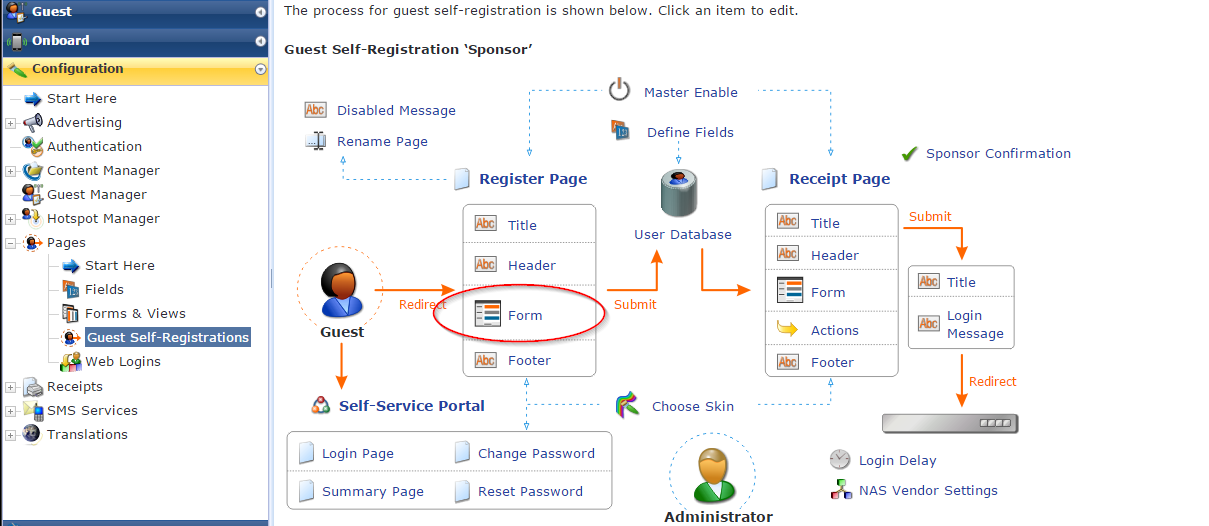
Guest Form


René Jorissen
Latest posts by René Jorissen (see all)
- ClearPass 6.12 EAP-TLS Authentication Issues – “No Suitable Signature Algorithm” - February 11, 2026
- Aruba AOS 10 and Mesh Networking - January 28, 2026
- Deploy HPE 9106 gateways - January 20, 2026